
Your website takes the order.Your till already has it.
The till, the website and an AI host on one menu, built for independent restaurants and takeaways.

- Dine in
- Takeaway
- Online orders
- Reservations
- Kitchen display
One order. Every screen.No double entry.
Follow a Friday-night order from the first question to the end-of-day report. Nobody types it twice.
- At 18:52
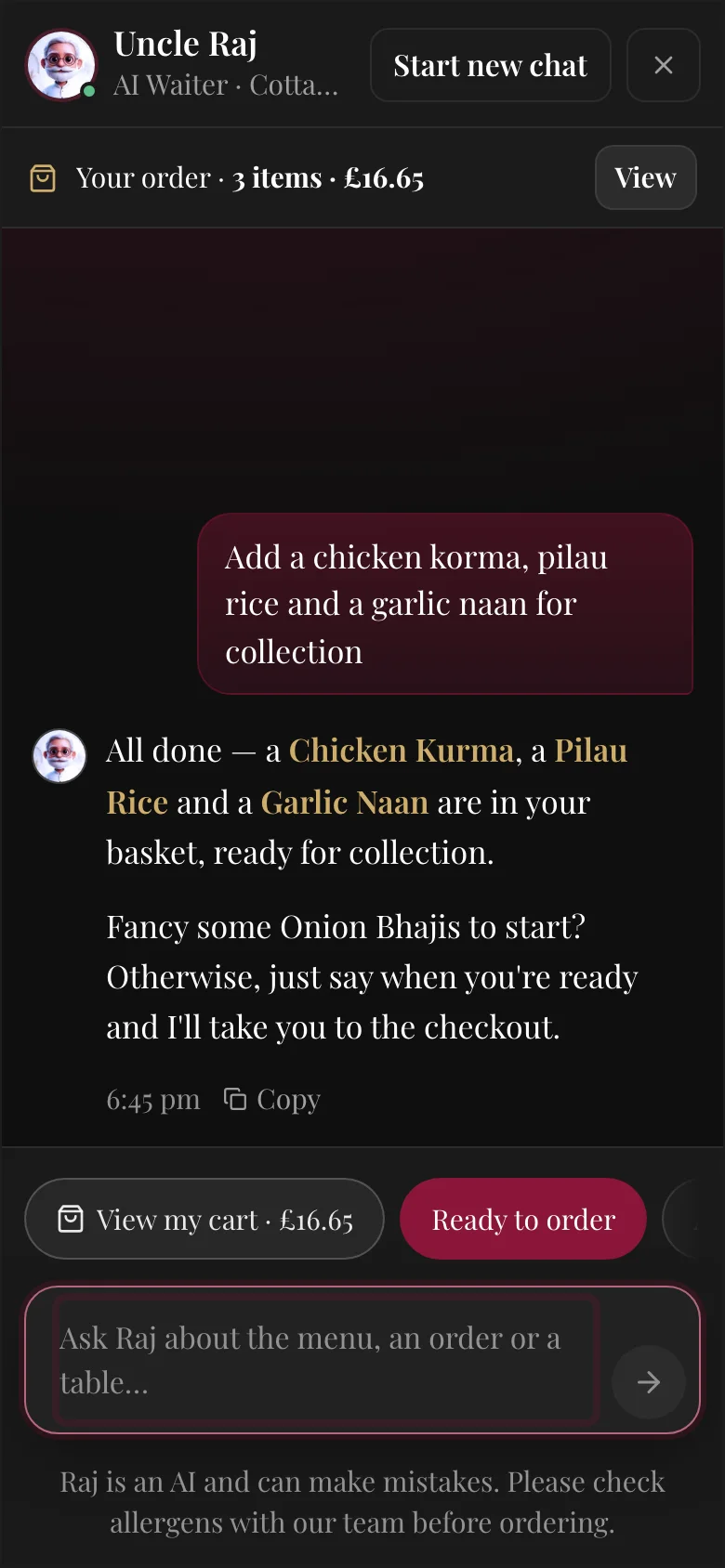
Your customer orders
On your own website, or simply by asking your AI host. They pay by card at checkout.
- At 18:53
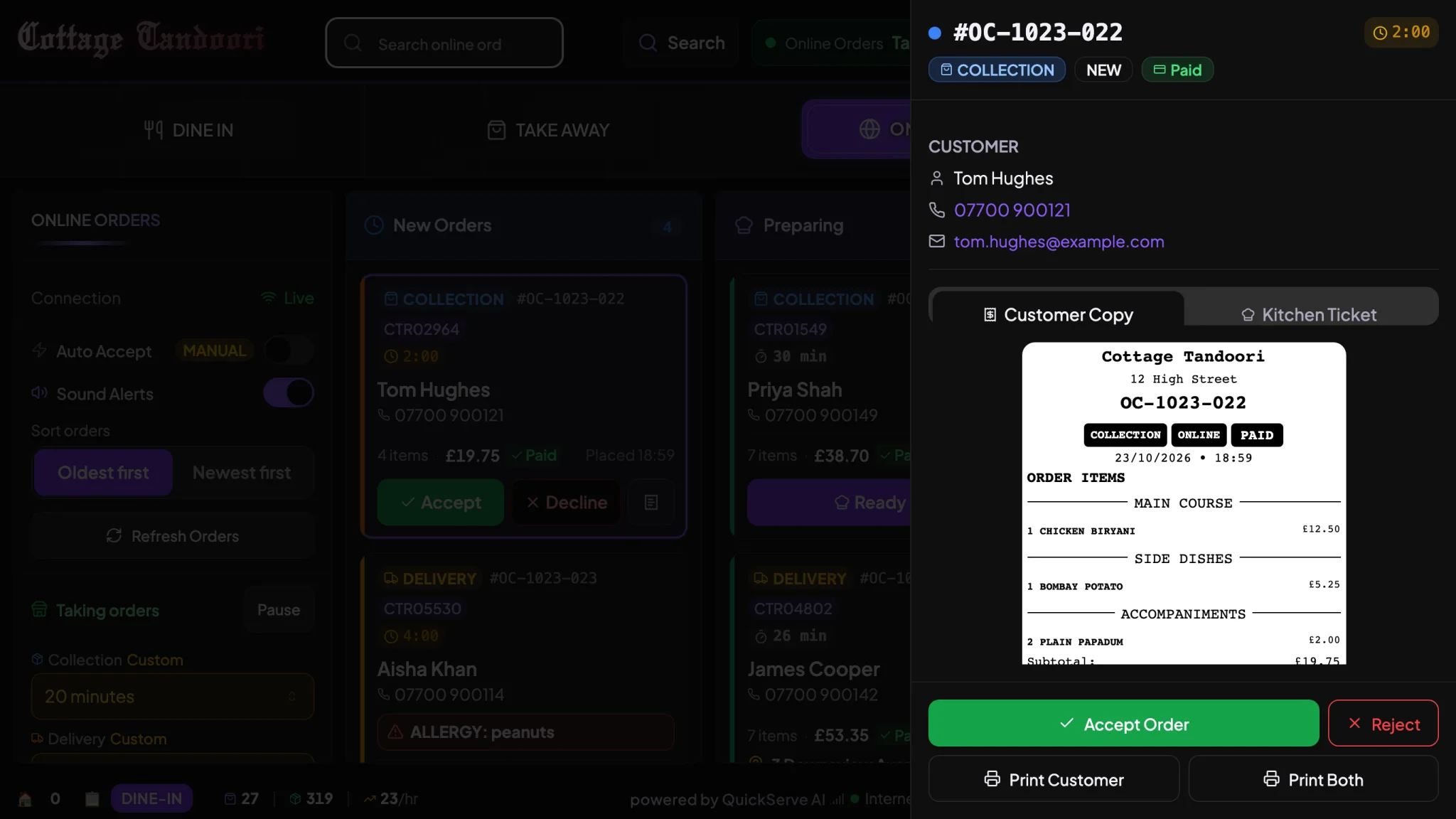
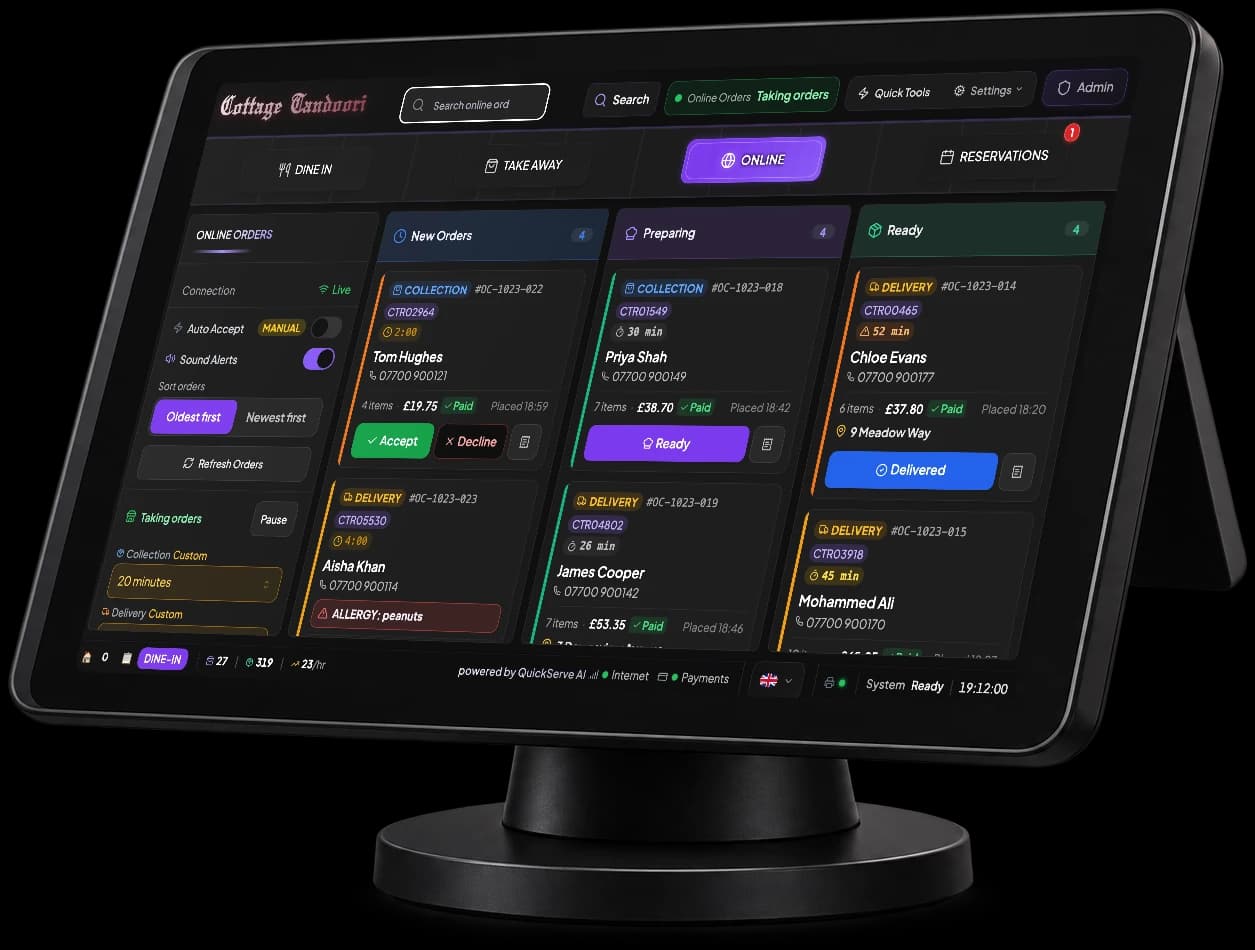
It lands on your till
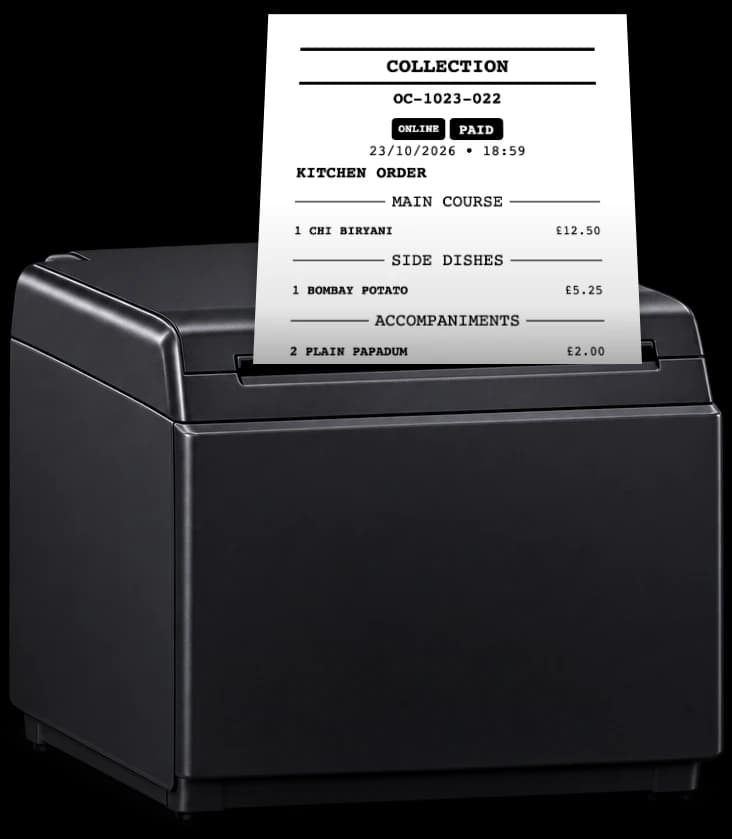
A chime, a new card and a kitchen ticket that prints itself. Accept it in one tap.
- At 18:58
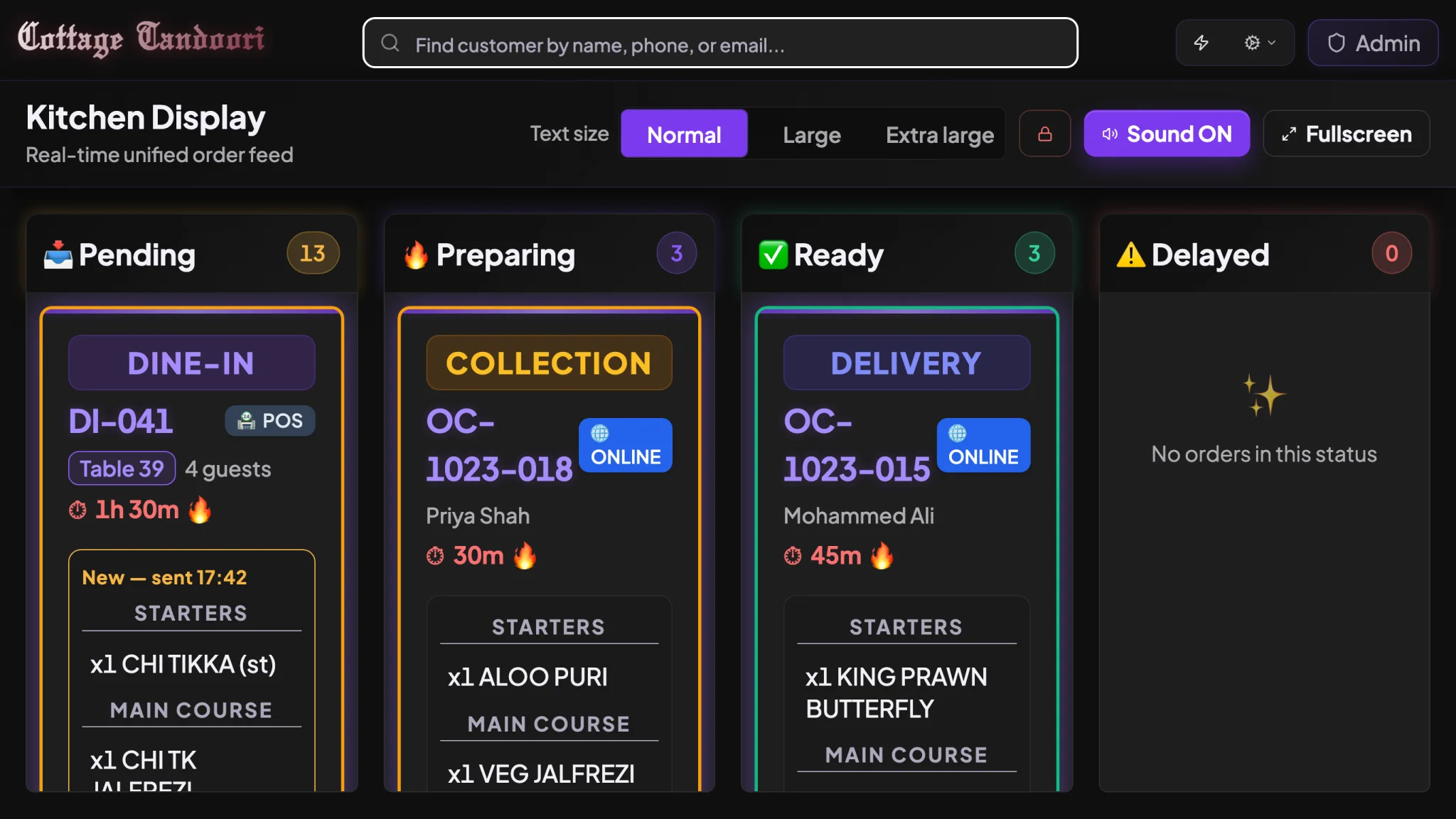
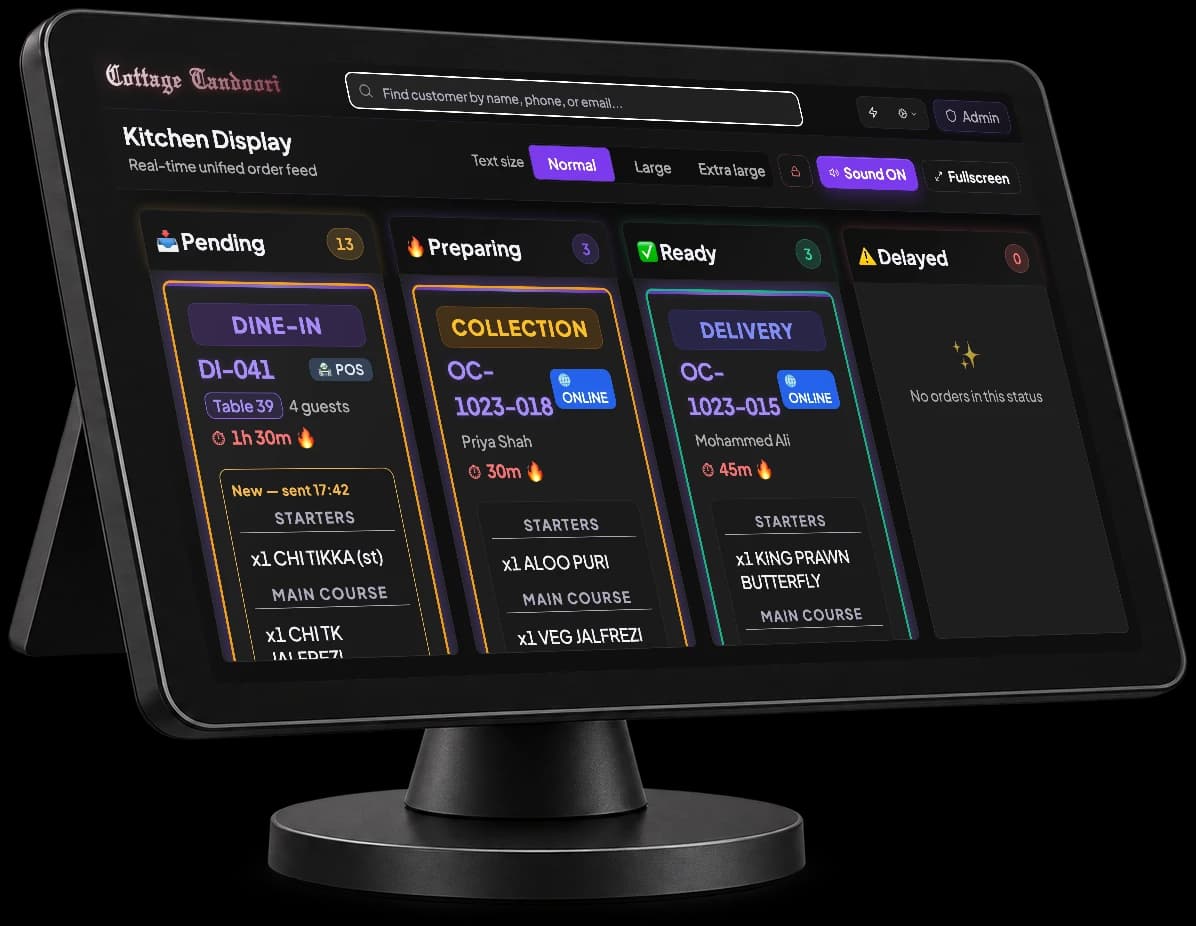
The kitchen sees it
Every dish on the kitchen screen, grouped by course, with a timer on each order.
- At 23:10
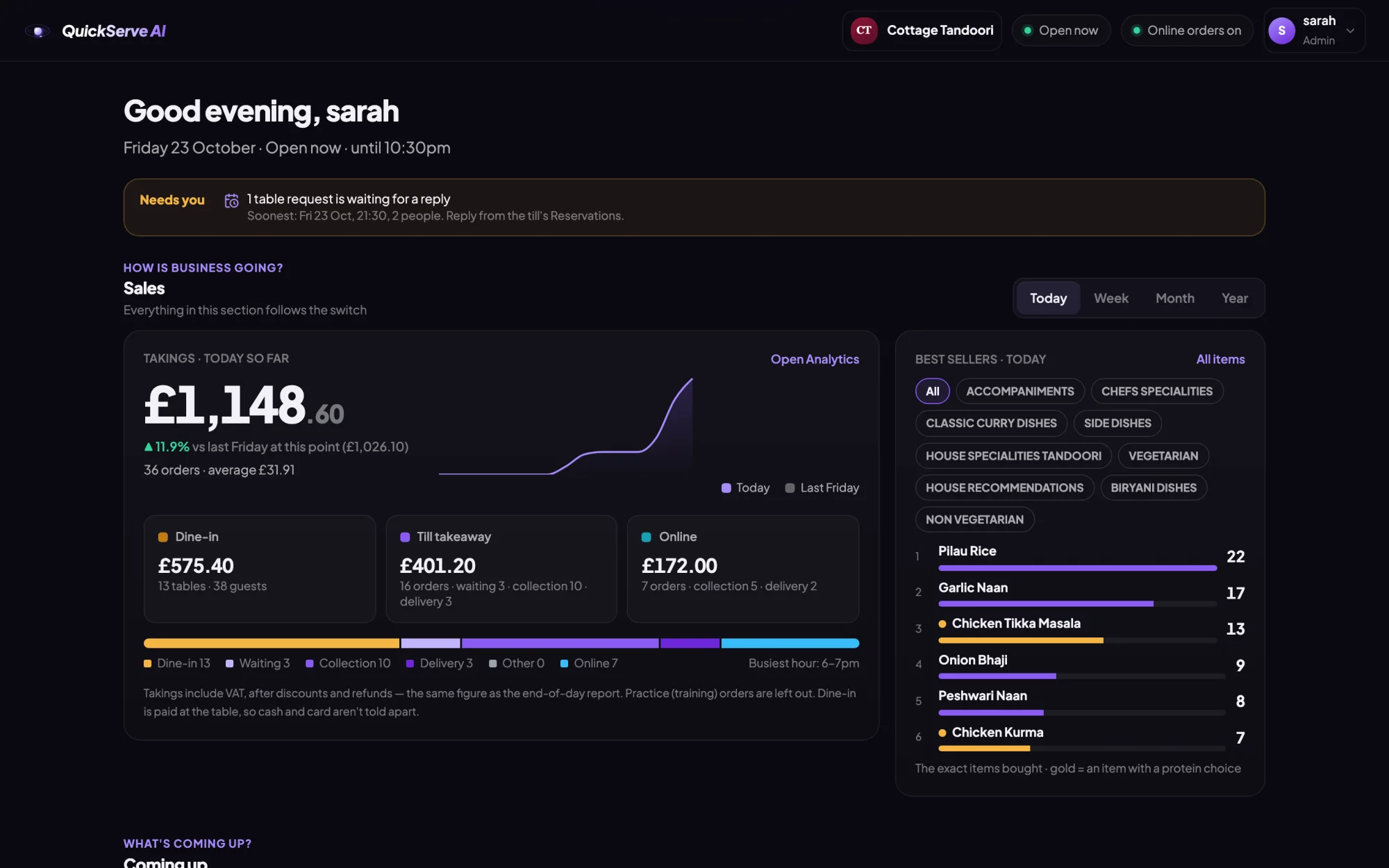
You see the takings
Website, AI host, till and dine-in sales together, the moment the night ends.
AI that works with your team,not instead of it.
Restaurants run on people. QuickServe AI takes the repetitive work off their hands, so your team can give their time to the guests in front of them and the food leaving the kitchen.
Your customers already expect to order online, ask questions any time and book in seconds. QuickServe AI gives your restaurant or takeaway the same modern website and smart till the big chains have, with an AI host built in to turn more visits into orders. It's designed for owners, not technicians, and we set it all up for you.
Your AI host handles
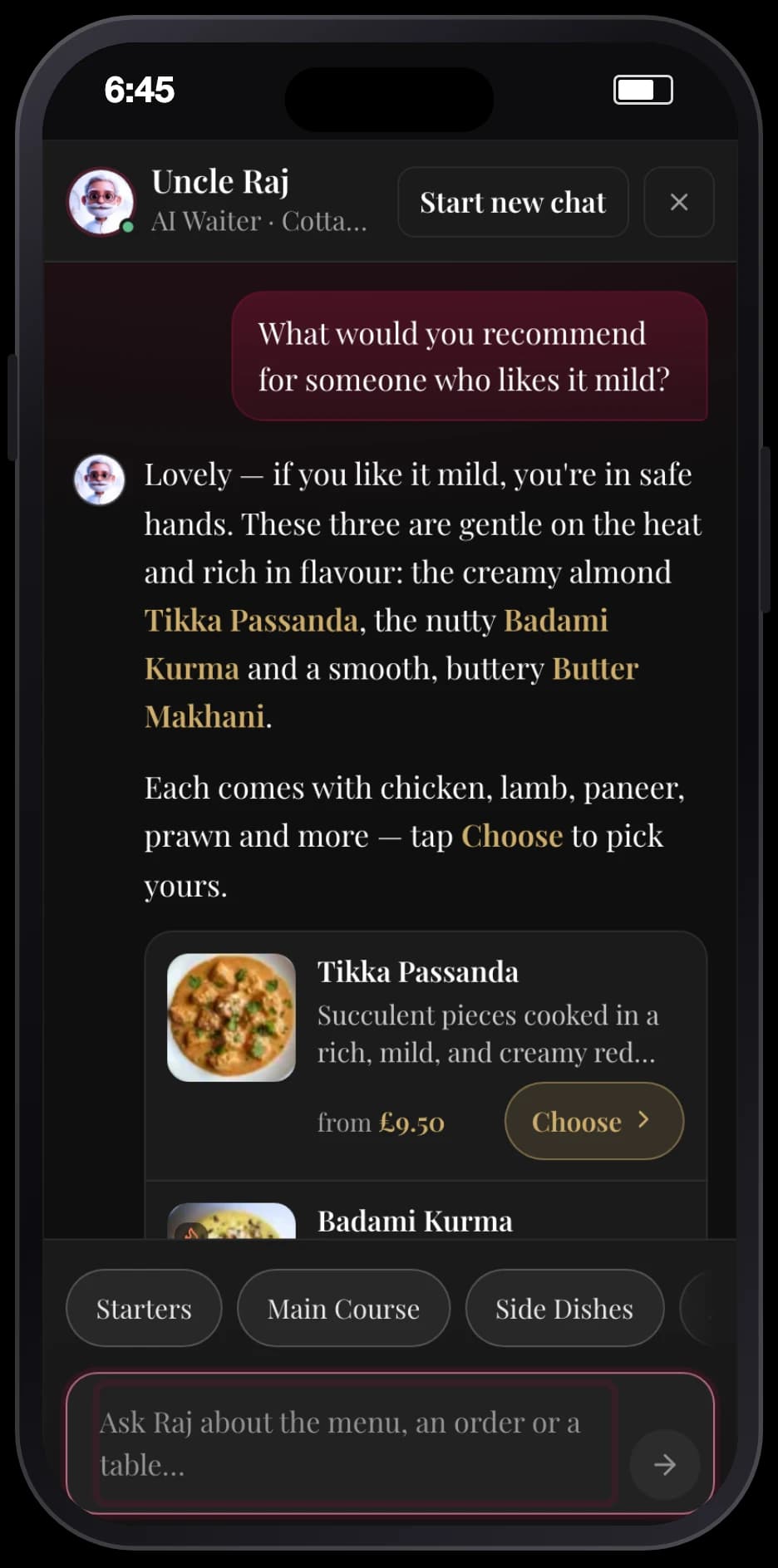
- Answering “are you open?”, “do you deliver to me?” and “what's mild?” at any hour
- Suggesting dishes, building the basket and sending customers to checkout
- Taking table requests and passing them to your till
- Putting every order on the till and the ticket in the kitchen, with nobody retyping it
Your team gets back to
- Cooking the food your customers come back for
- Welcoming guests and looking after the dining room
- The judgement calls: busy nights, special requests, regulars
- Running the business, with every number in one place
A till that runsthe whole service.
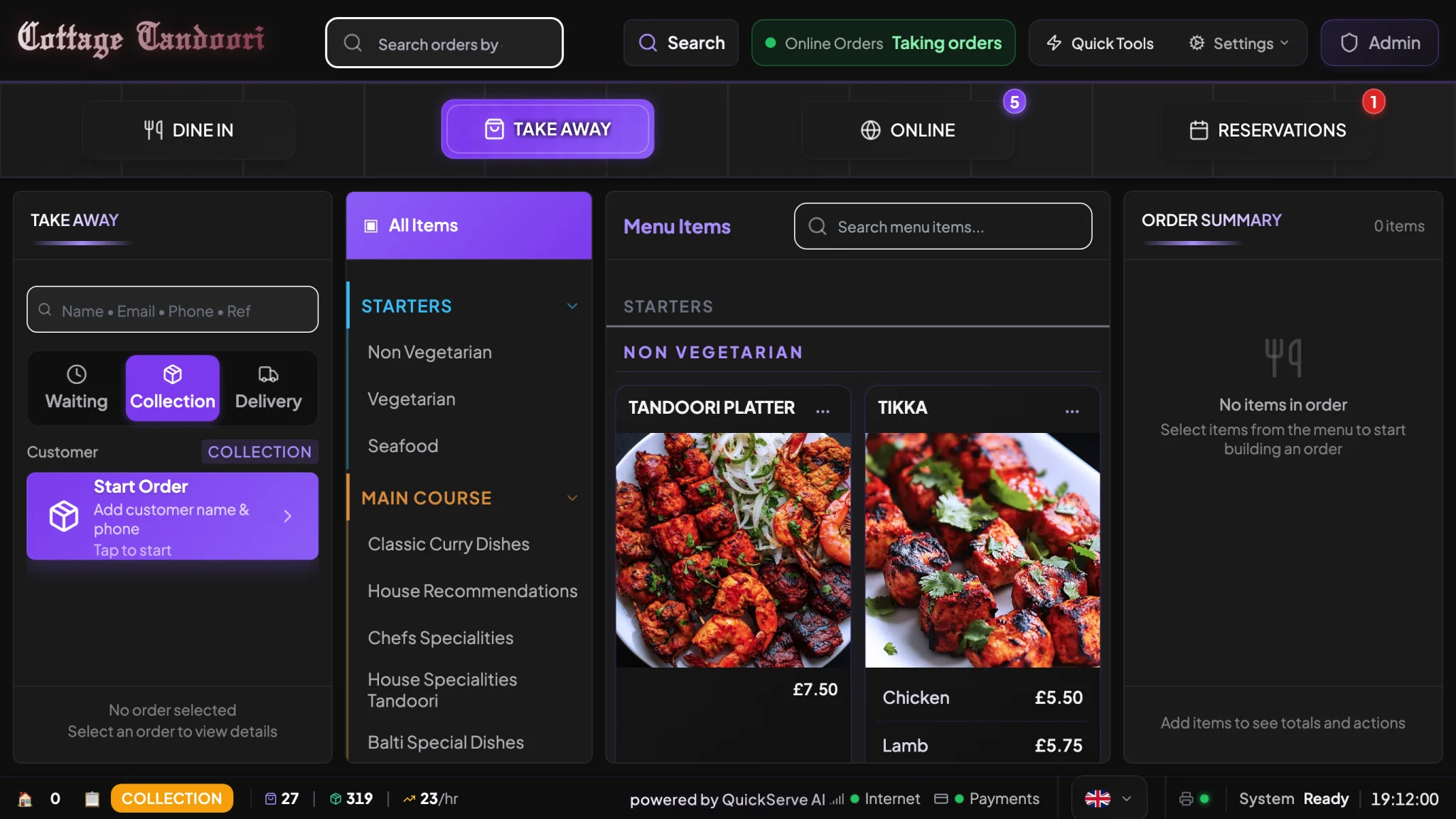
Dine in, takeaway, your website's orders, bookings and the kitchen, on one screen your staff learn in minutes.
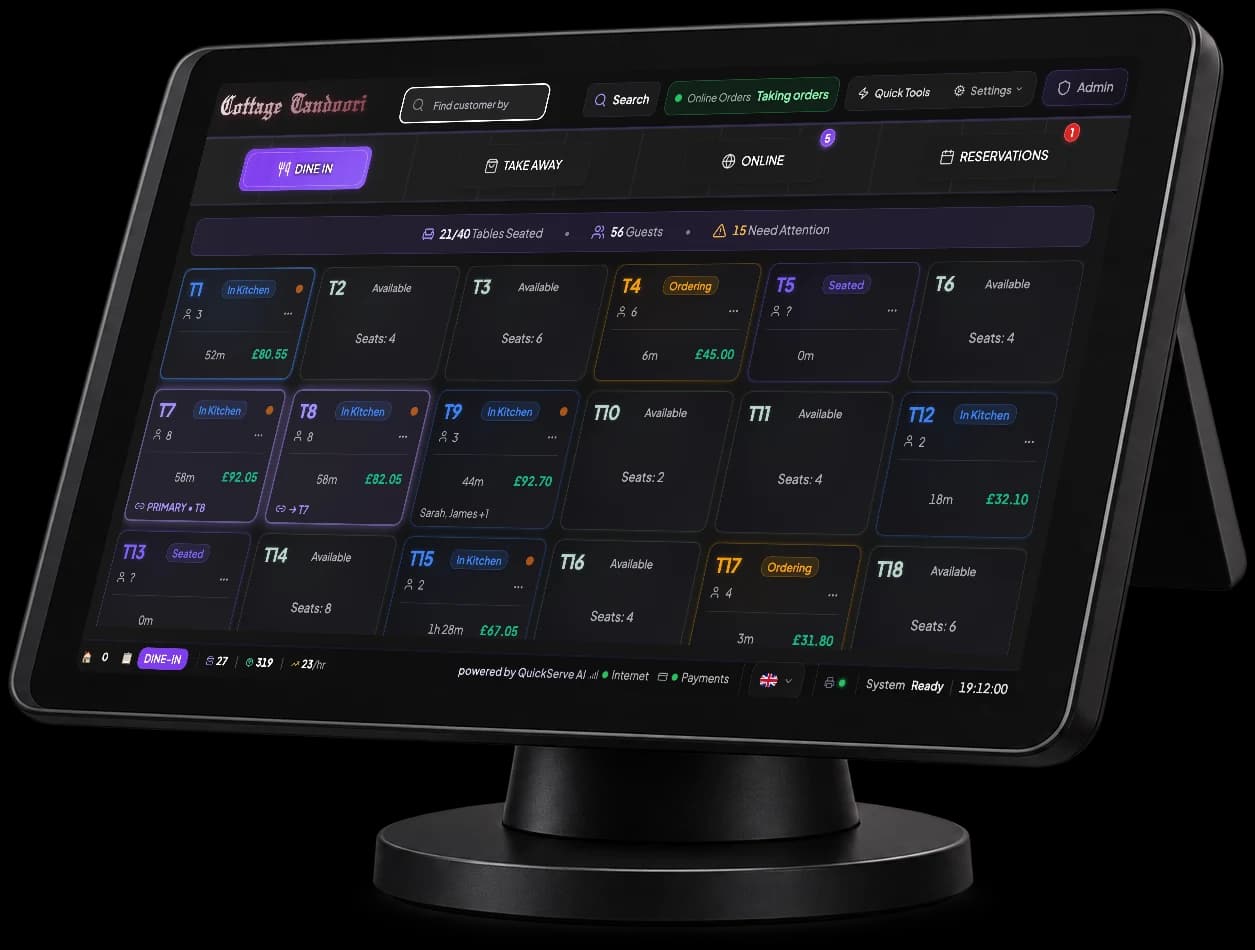
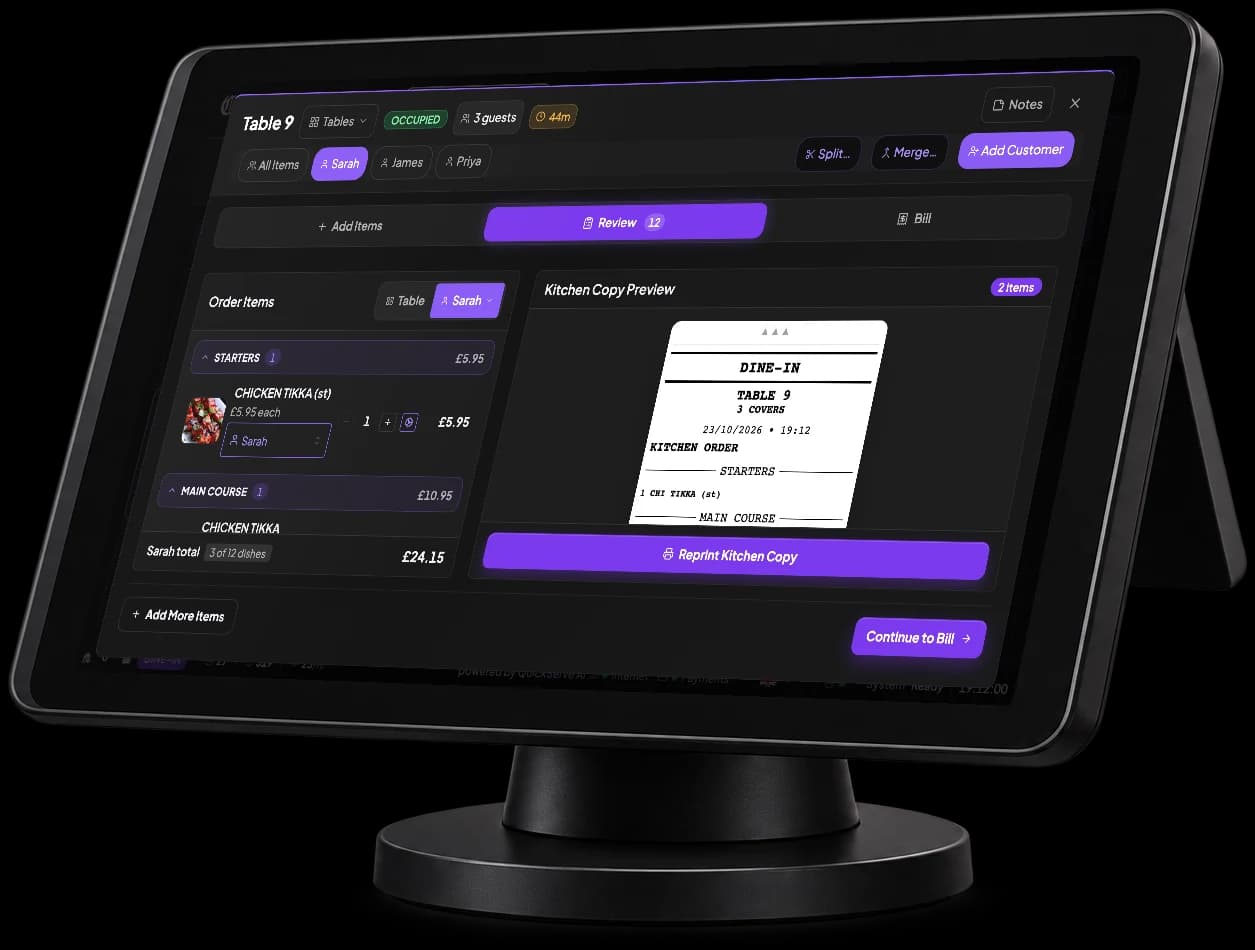
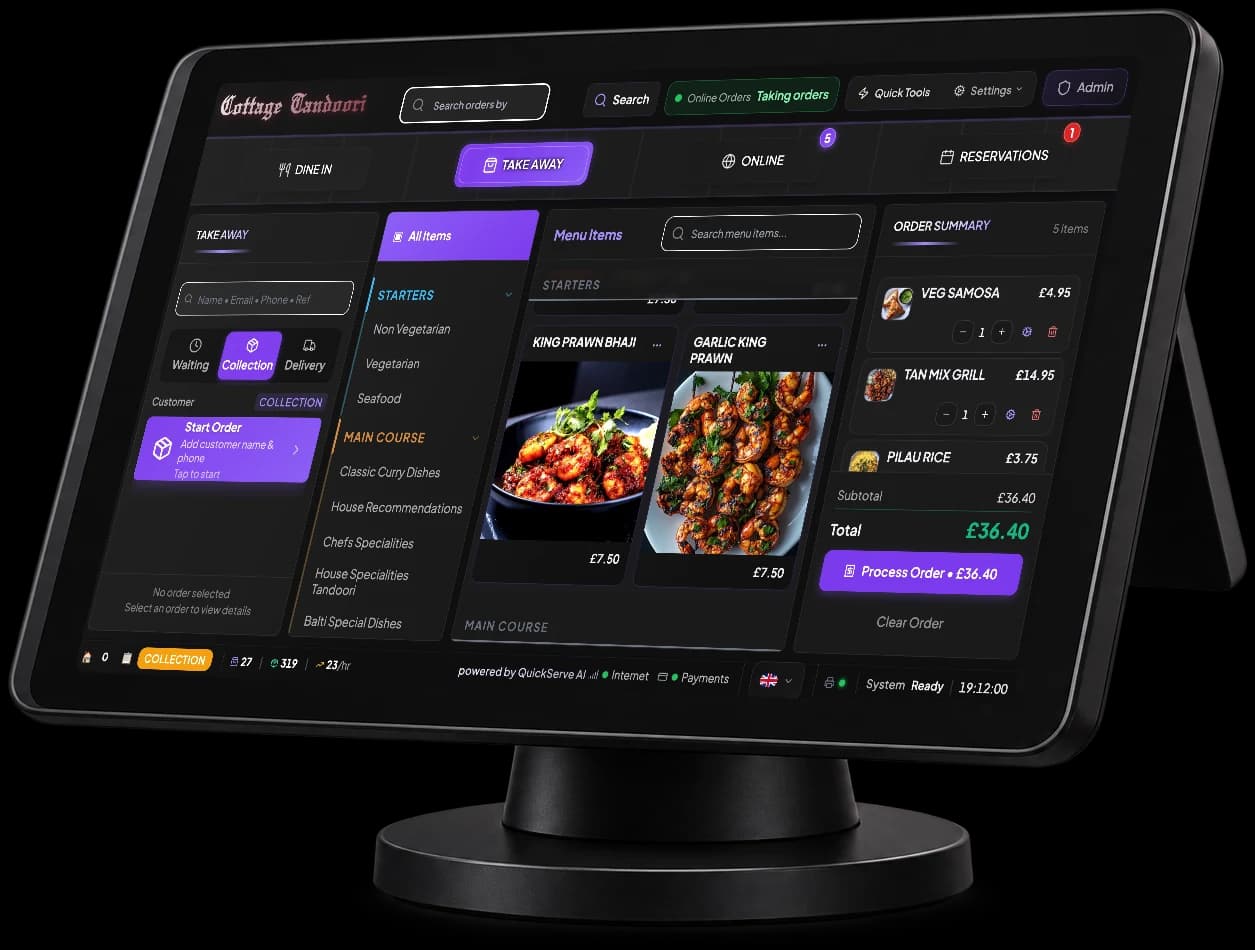
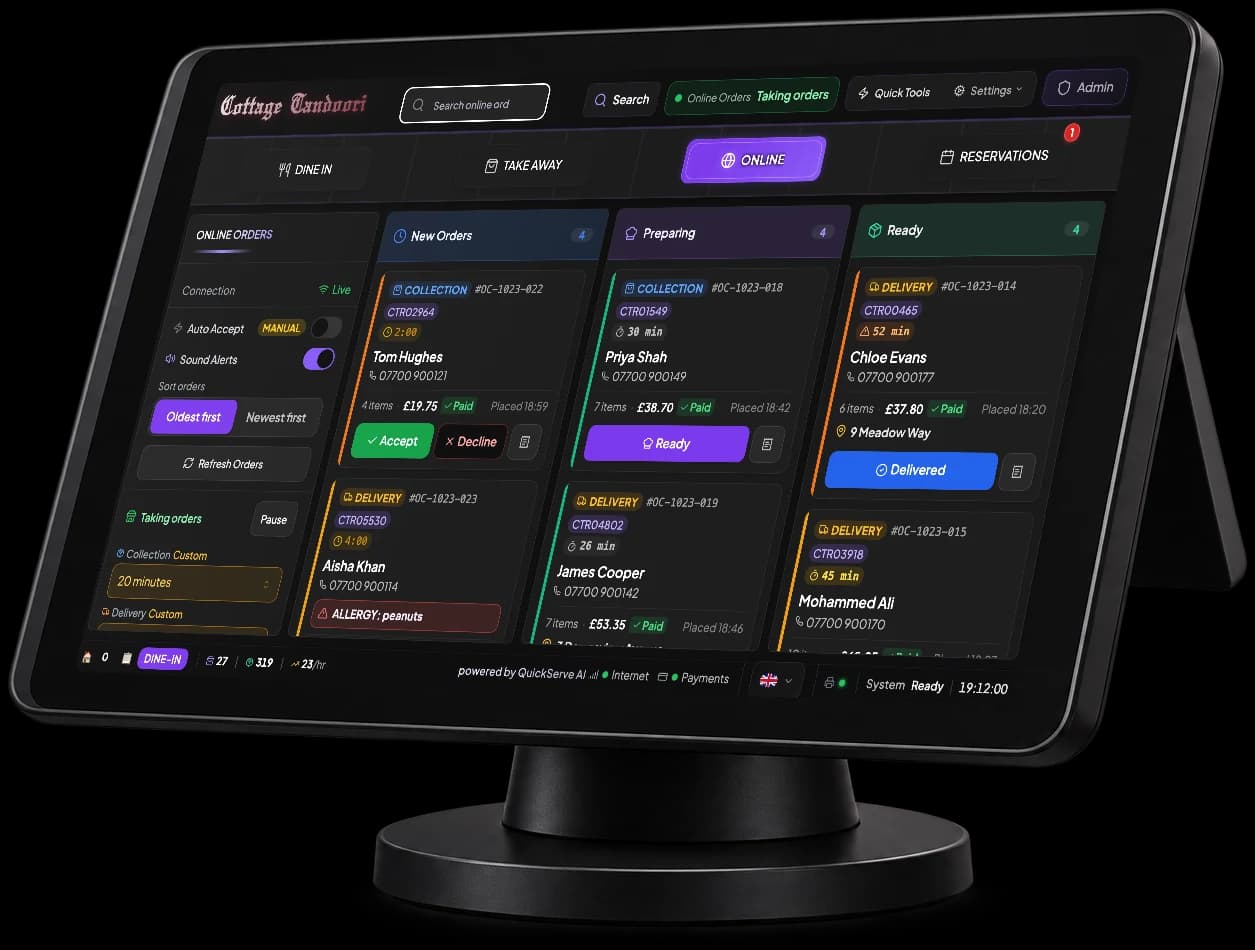
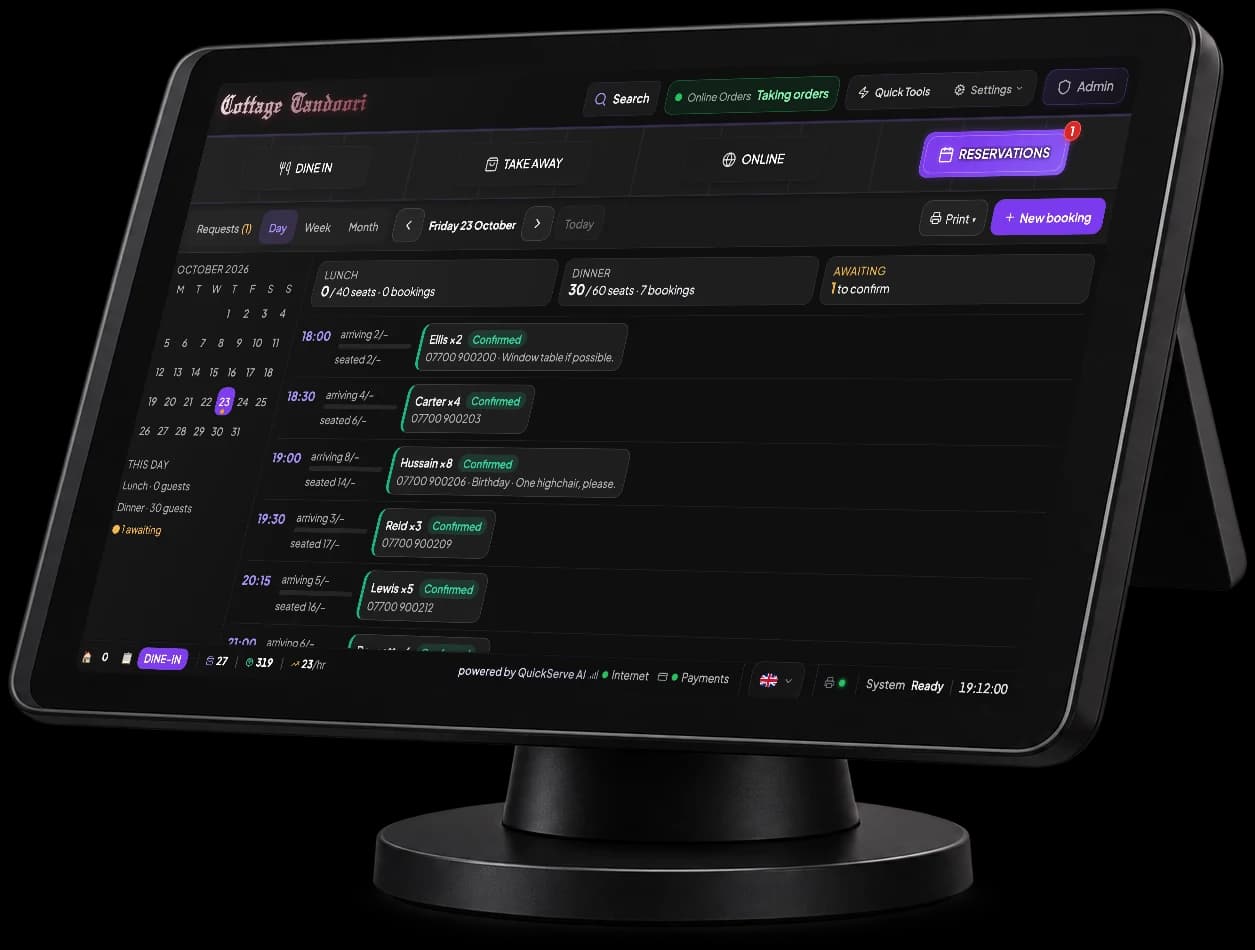
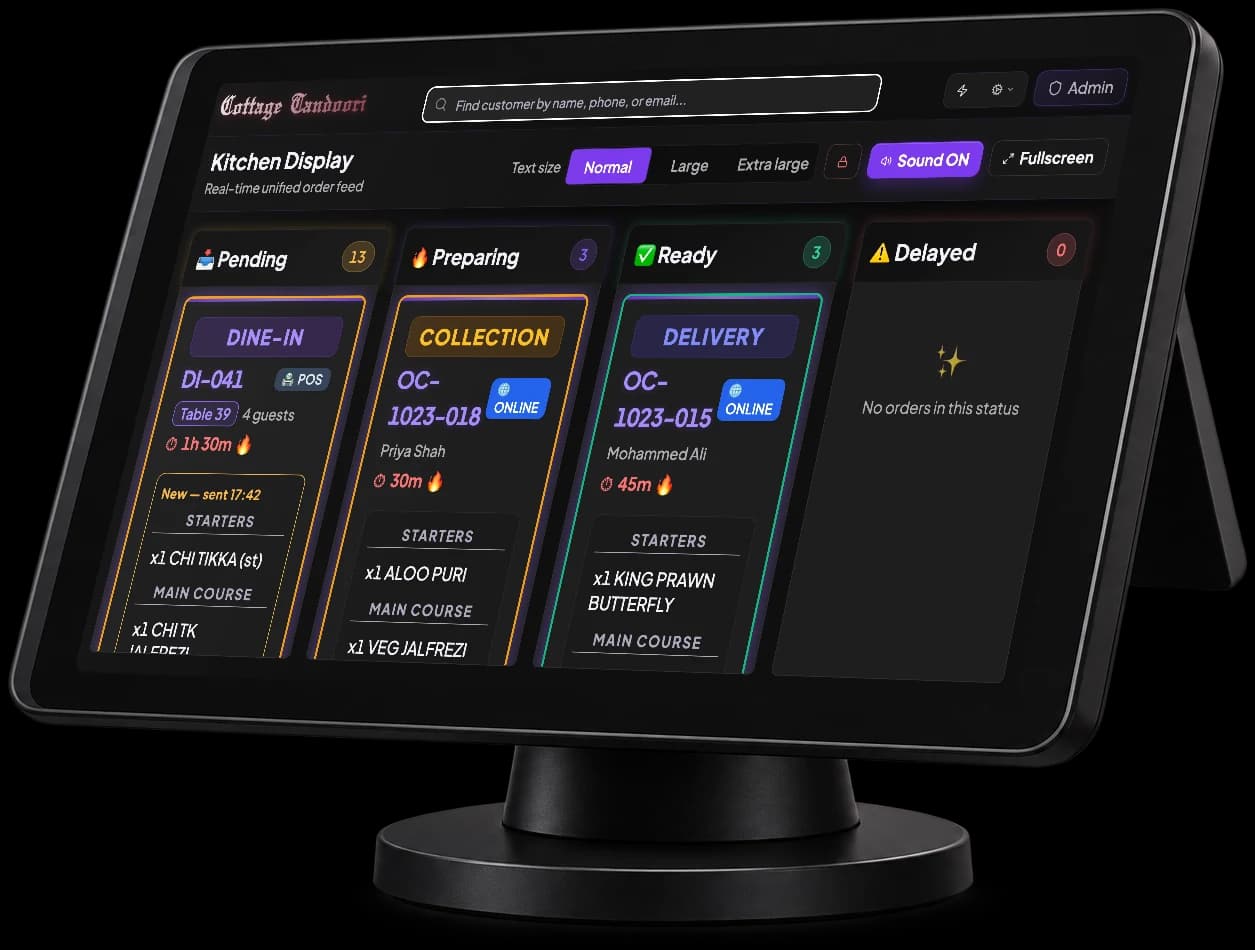
- See every table at a glance: seated, ordering, in the kitchen or waiting for the bill.
- Link tables for a big party. Table 7 + Table 8 run as one order, one kitchen ticket and one bill.
- Move a party to another table, or link another table later, without losing a dish.
- Send starters now and mains when you're ready, and print the bill in one tap.
Also in the till
- Sold-out boardMark a dish sold out and it comes off the website and the AI host at once.
- Staff PINsEveryone signs in with their own PIN, and the screen locks itself.
- More than one tillRun tills side by side, each with its own order numbers.
- Training modeNew staff practise on the real screens. Practice orders stay out of the takings.
- Printing, sortedKitchen tickets, customer receipts and bar tickets, each to its own printer.
- End of day in one reportCard, cash, refunds and every channel, ready for the cashing up.
- Know your regularsEvery customer's orders and bookings in one place.
- Promo codesRun offers with promo codes, on the till and on your website.
An AI host thatnever misses an order.
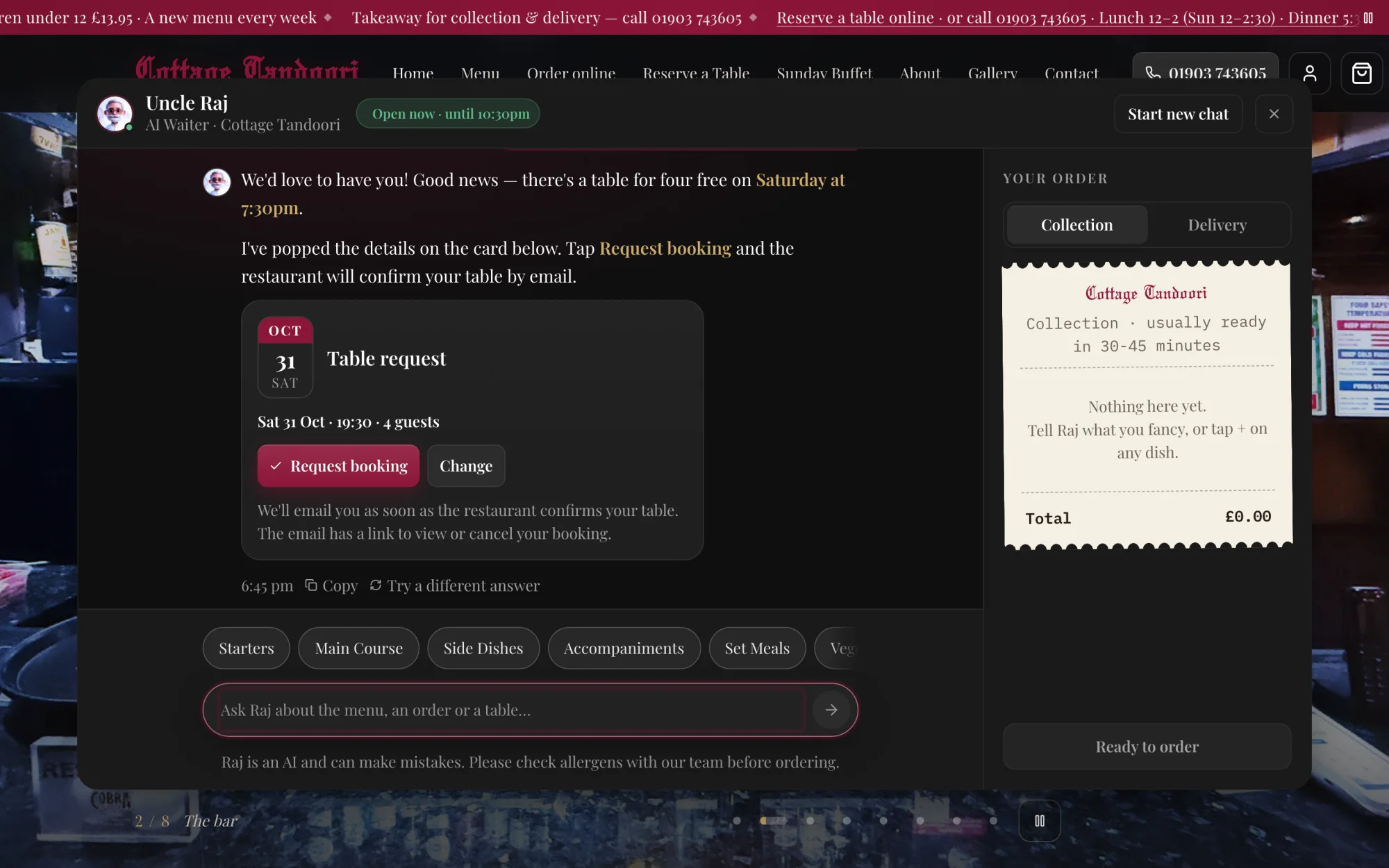
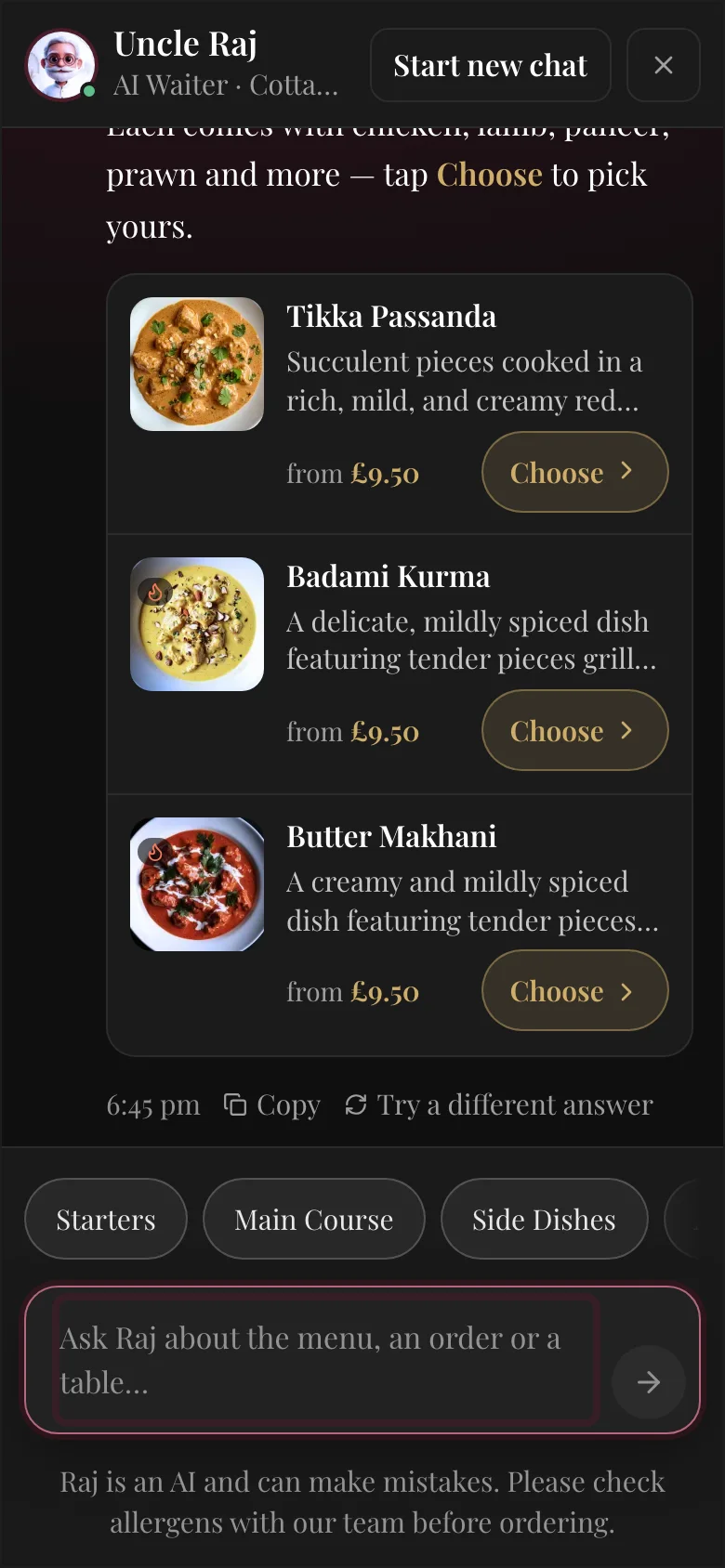
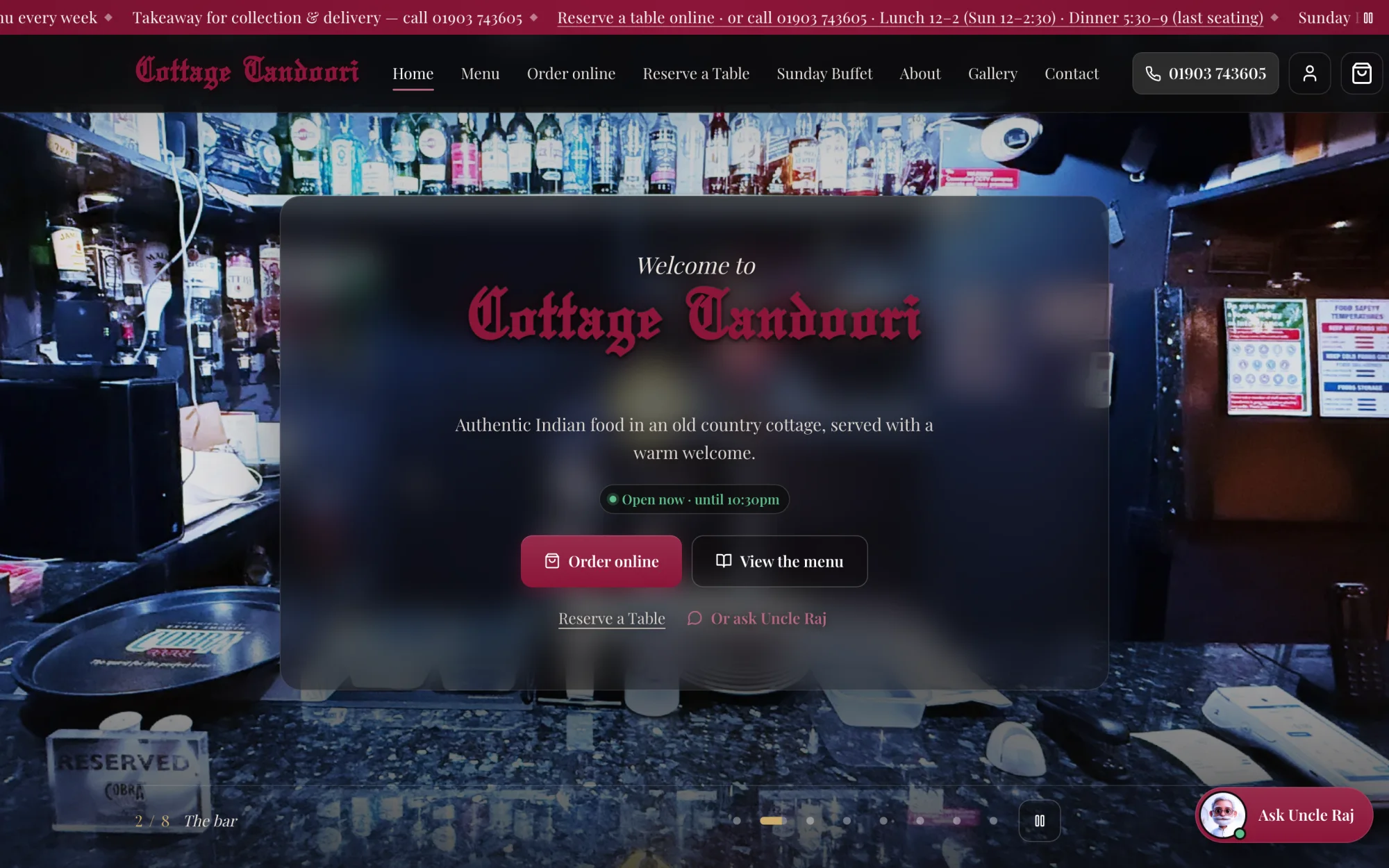
Your website gets a host with your restaurant's own name and personality. At Cottage Tandoori he's Uncle Raj.
- Answers every question, day or nightThe menu, allergens, opening times, delivery areas and parking, from what you've told it.
- Turns questions into ordersSuggests dishes with photos and prices, fills the basket, and takes the customer to checkout.
- Takes table requestsFinds a free time and sends the request to your till for you to accept.
- Never makes things upPrices come straight from your menu, and it only offers dishes you actually sell.
- Knows when to hand overIf it can't help, it gives the customer your phone number.
Your own website,ready to take orders.
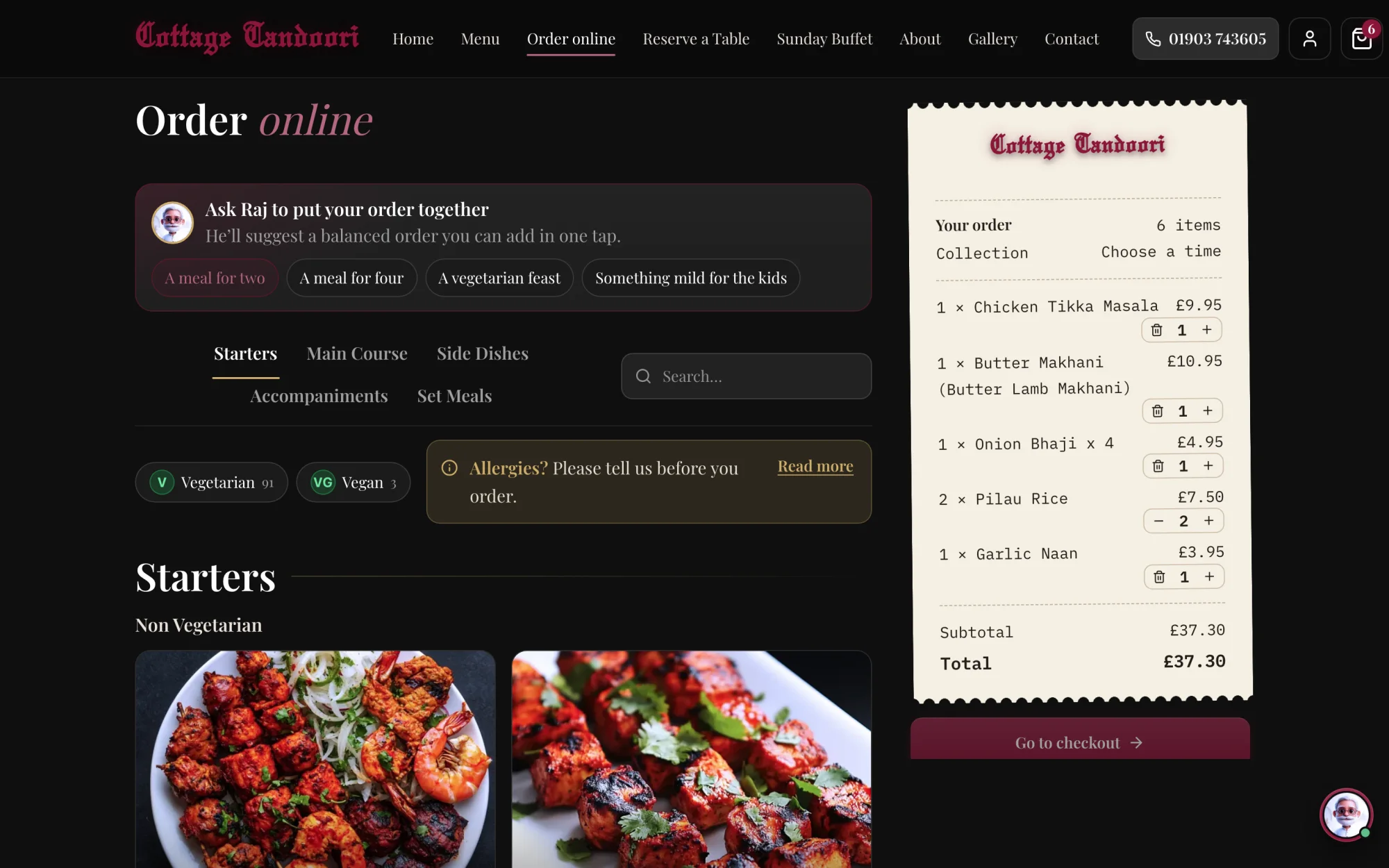
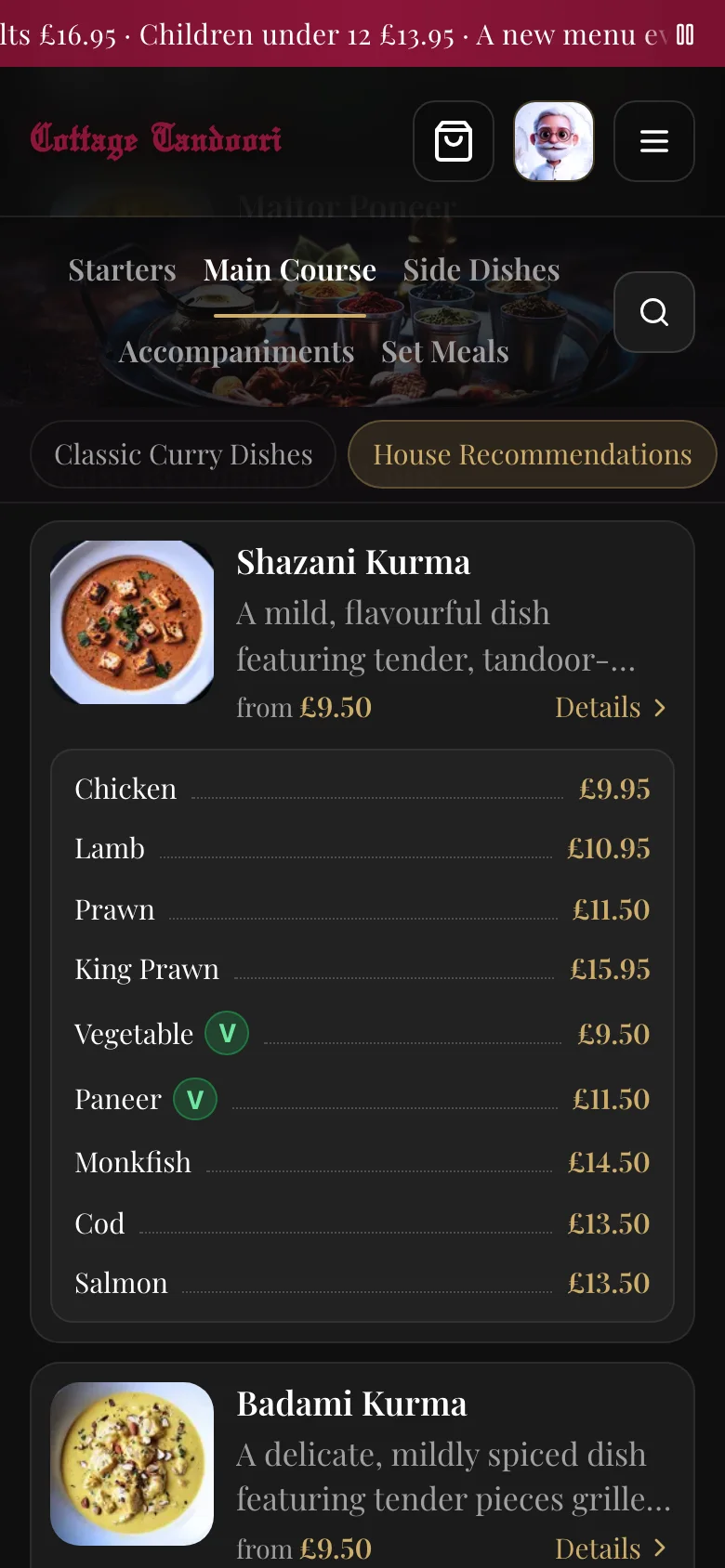
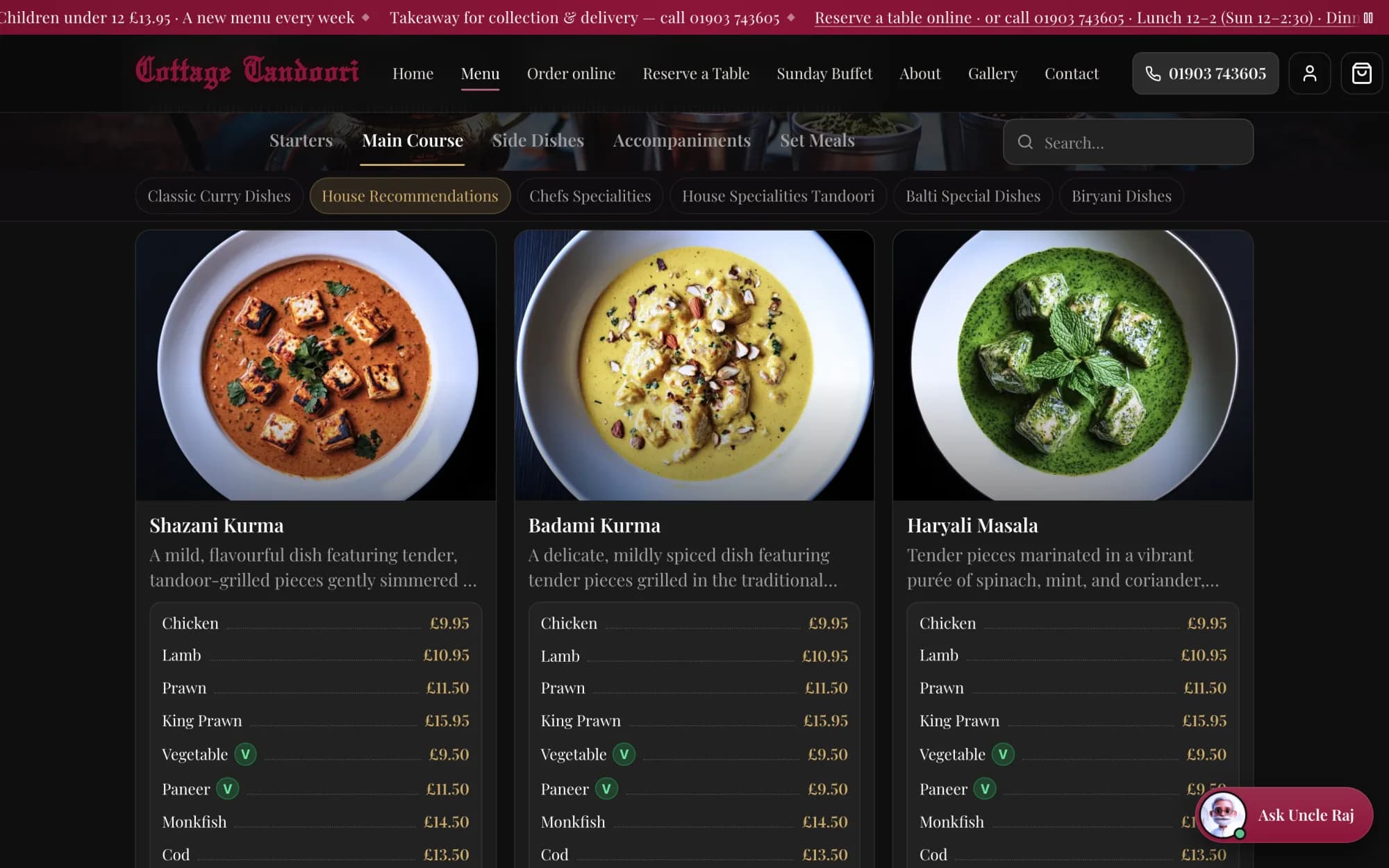
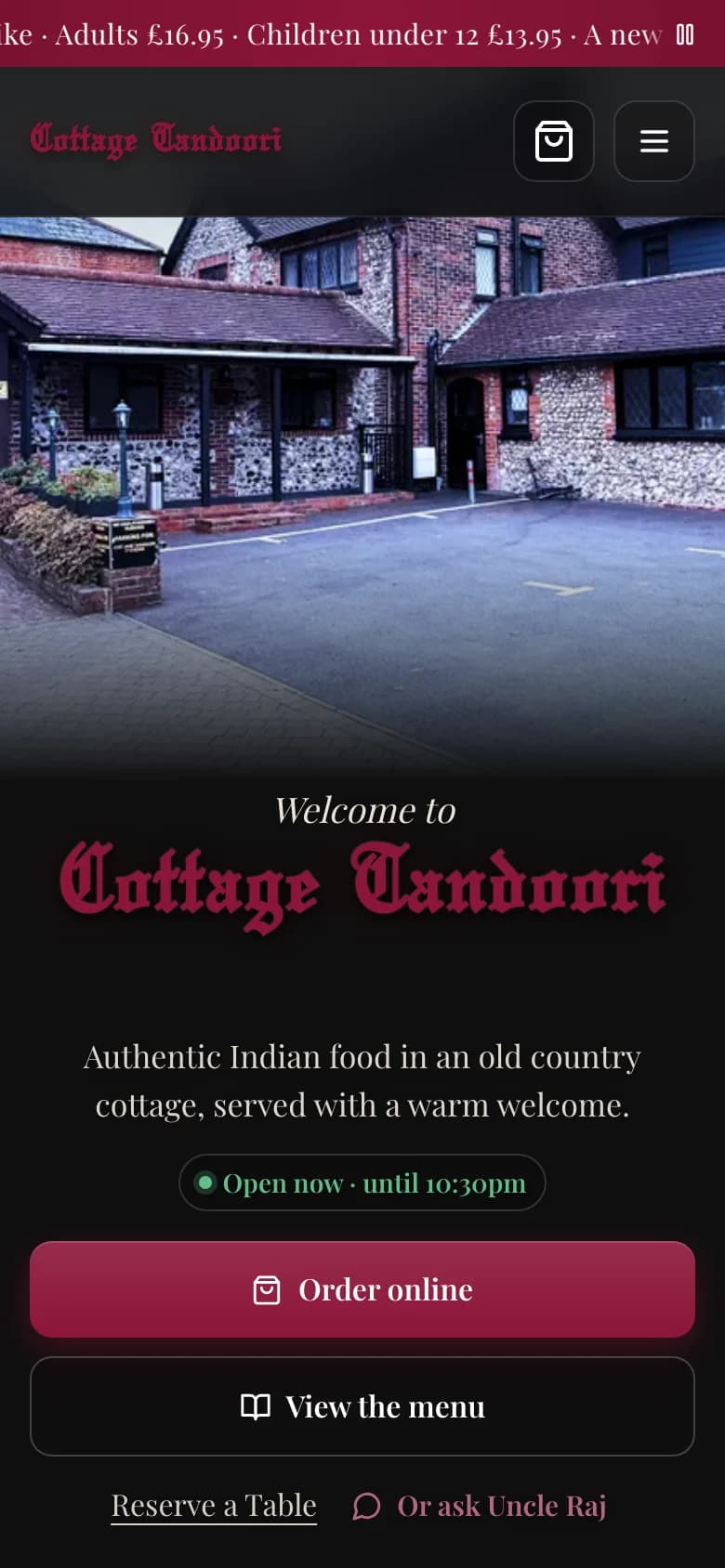
A fast, beautiful website in your name, running on the same menu as your till. Your customers order from you, not from someone else's app.
- Collection and deliveryYour menu online with photos, delivery areas by postcode and your own charges.
- Orders even when you're closedCustomers order ahead for the next sitting, and the card is only charged when you accept.
- Paid by card at checkoutA quick, secure checkout on your own website, with no marketplace in between.
- Accounts and one-tap reorderRegulars see their past orders and bookings, and order their usual again.
- Table bookingGuests ask for a time online; you accept it on the till.
- Allergens shown clearlyEach dish carries what it contains, on the website and in the AI host's answers.
- 13 languagesVisitors can read your website in their own language.
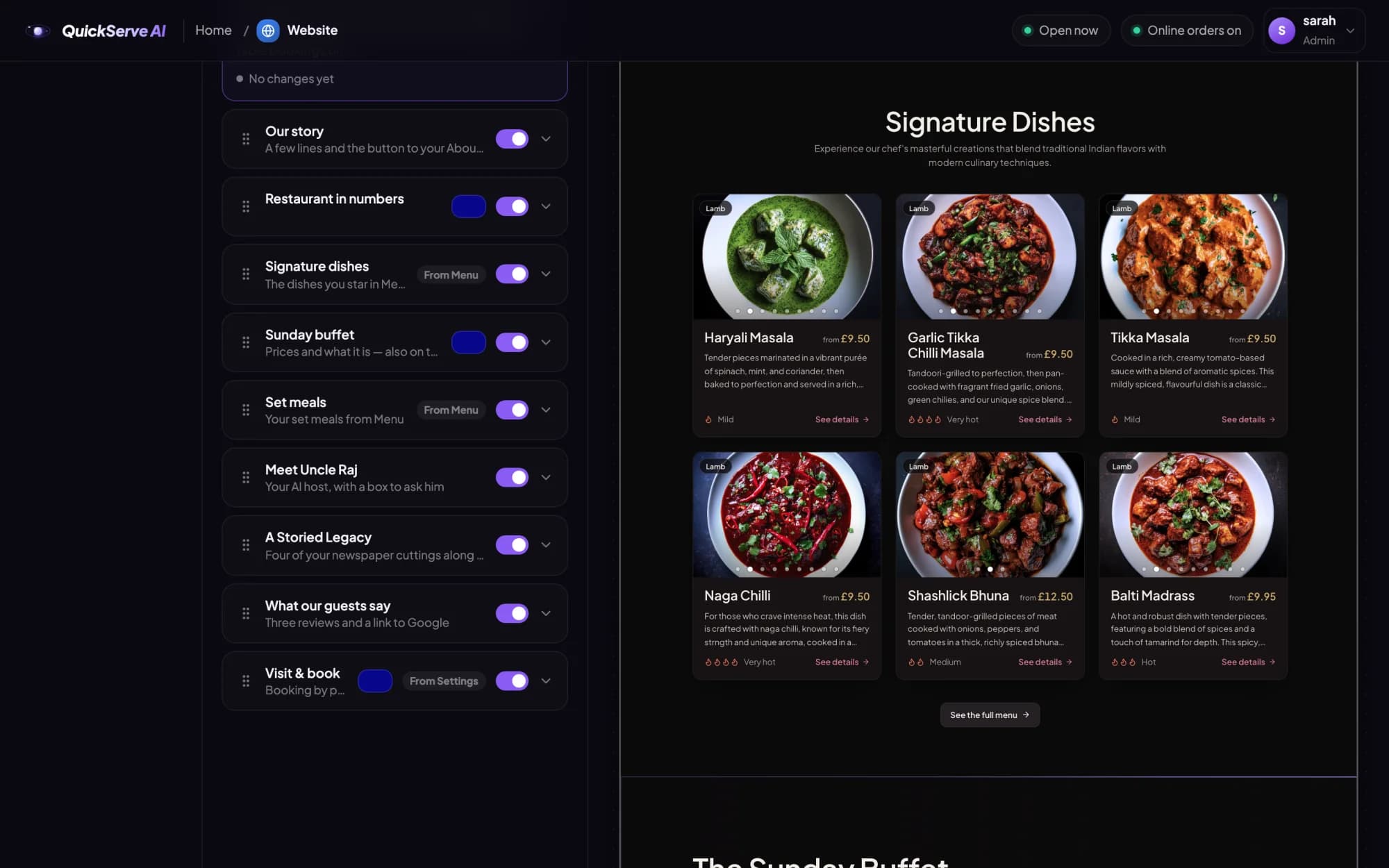
- Edit it yourselfChange the wording, photos, colours and sections, preview them, then publish.
Find your restaurant's web address.
QuickServe AI will register and host your website at your own address. Search for a name now, and claim it when you join early access.
Change it once.It's changed everywhere.
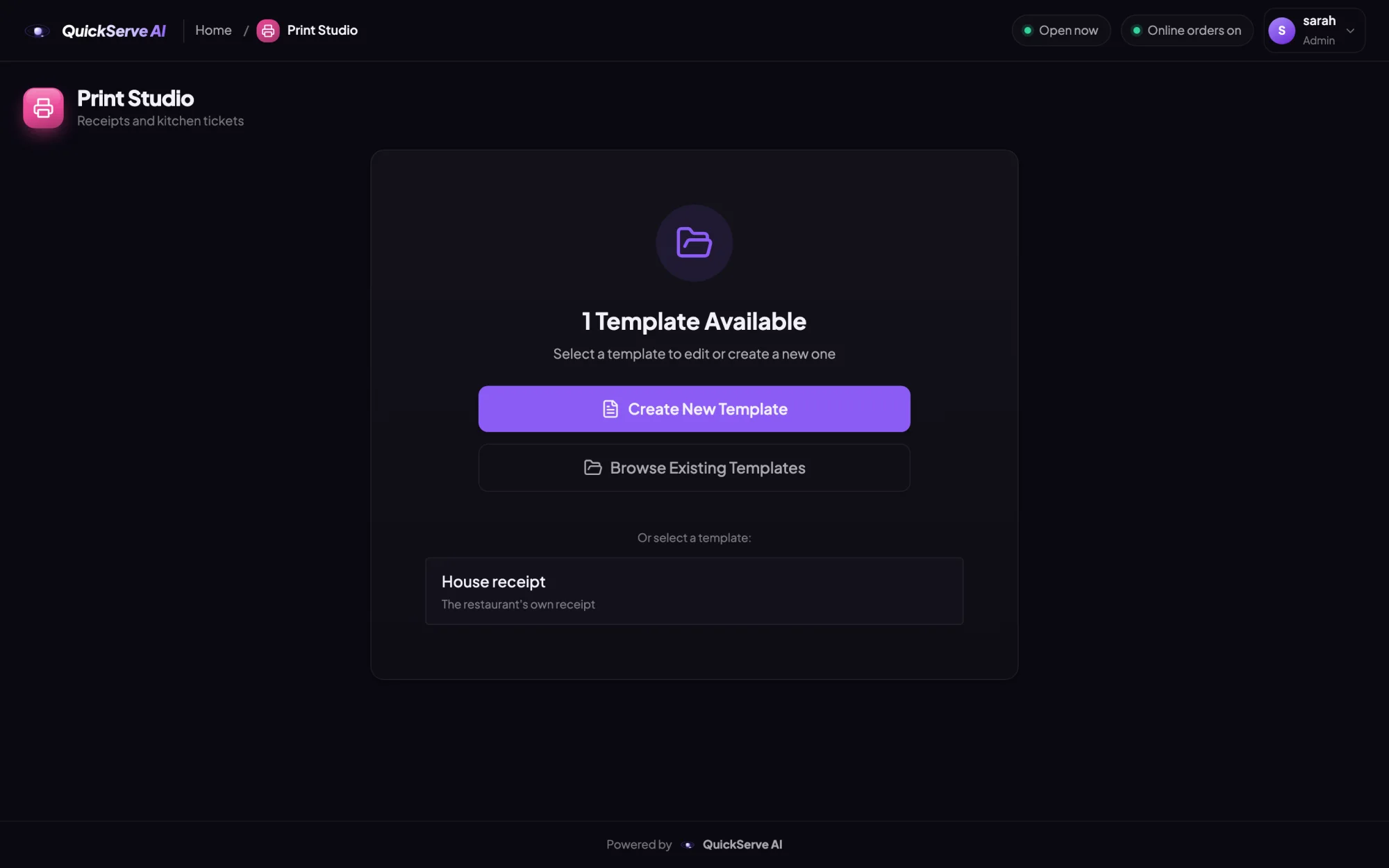
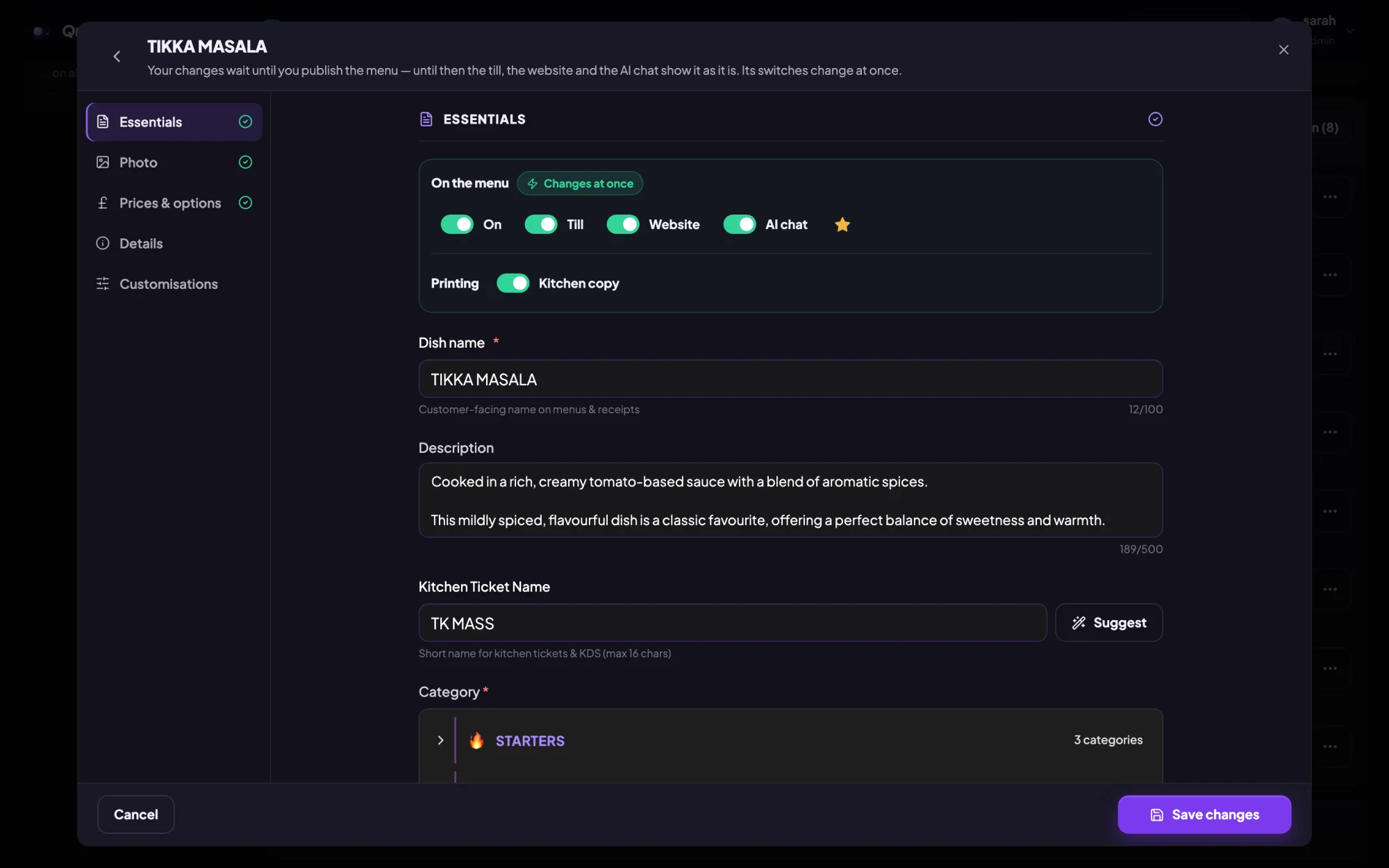
One menu runs your till, your website, your AI host and your kitchen. Change a price, add a dish or mark one sold out, and every screen follows.
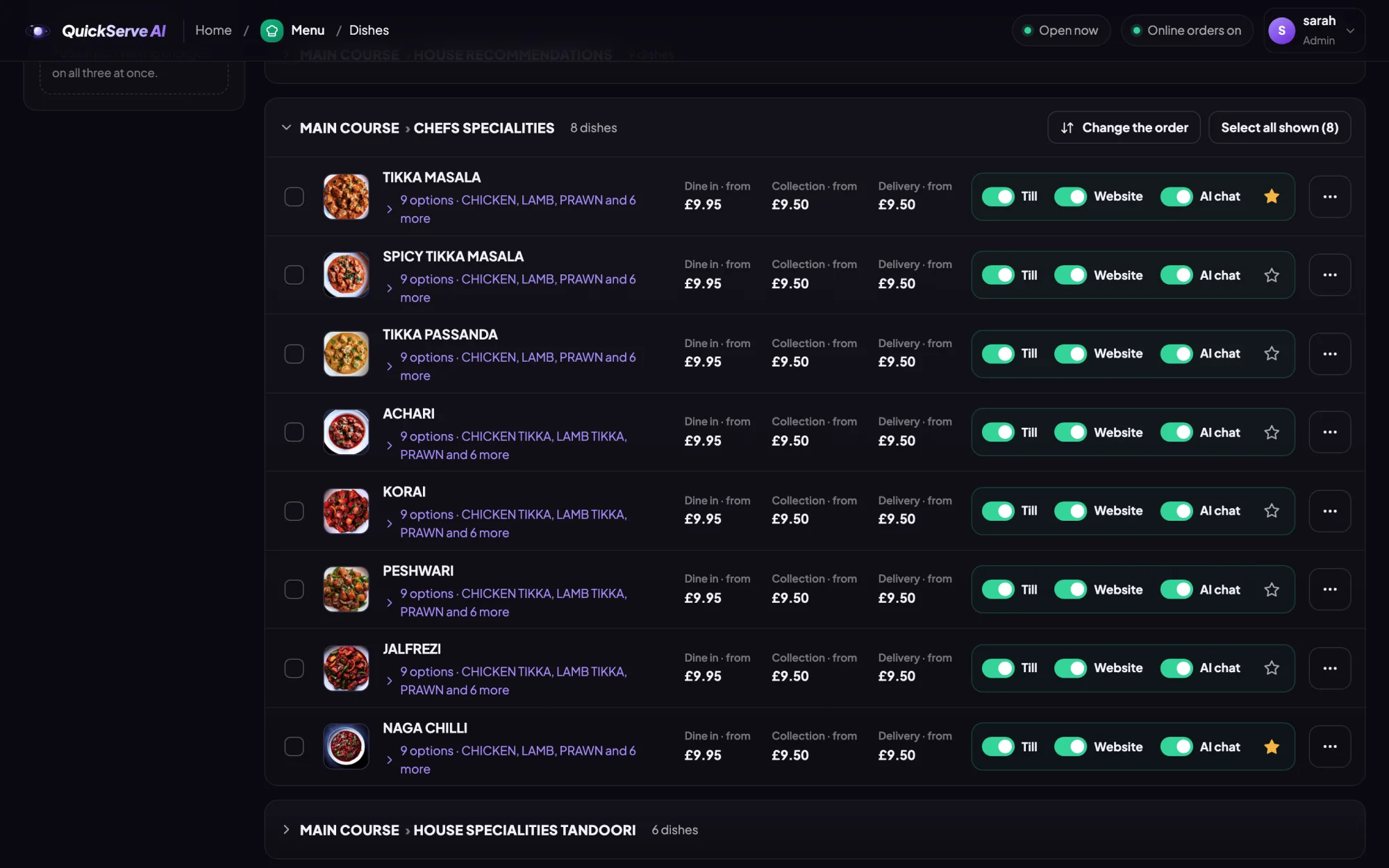
Prices for dine in, collection and delivery, and a switch for each screen.
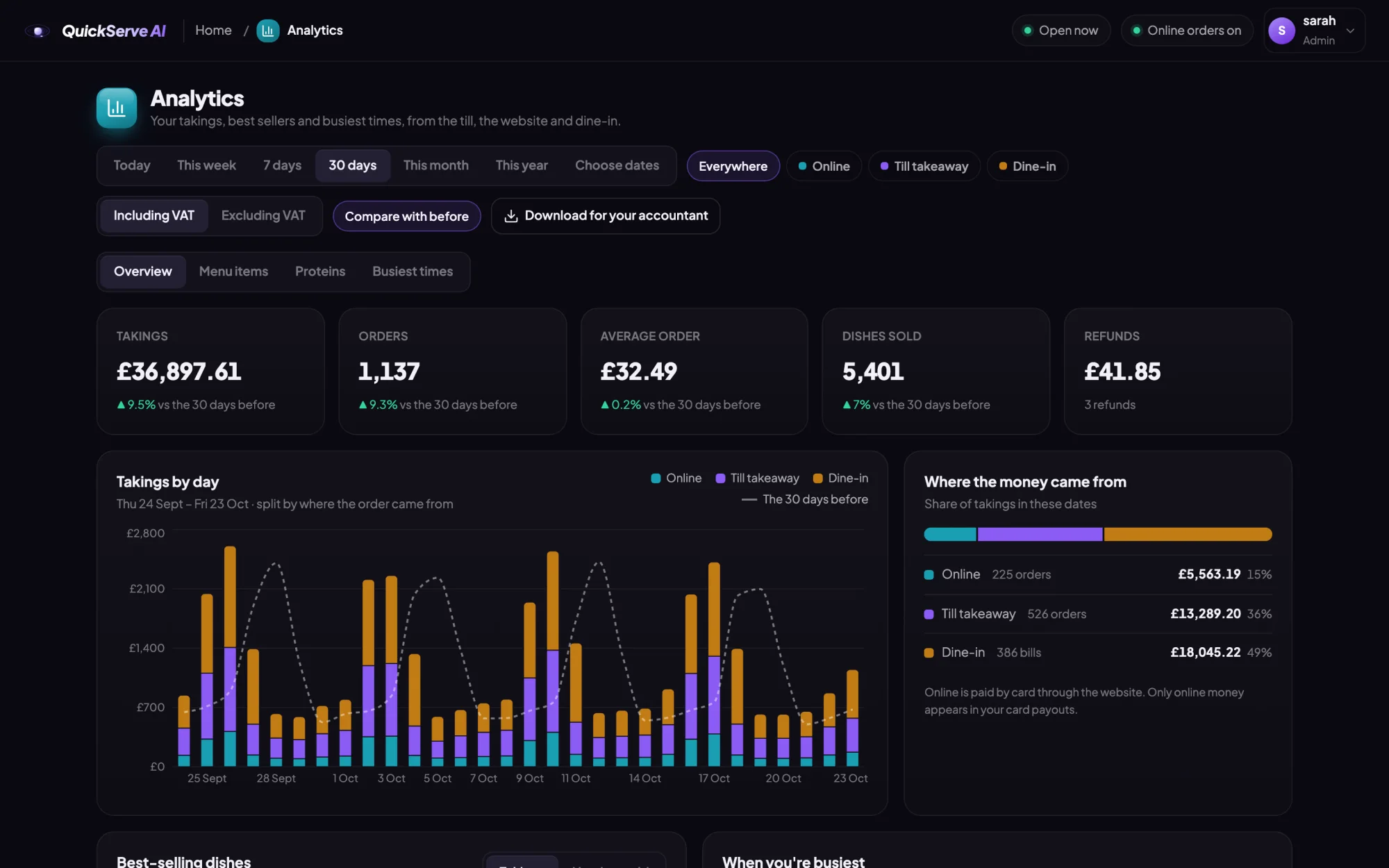
Run the businessfrom one place.
The admin opens on your till and on any computer. Your takings, your menu, your website, your AI host and your staff, without logging in to five different systems.
Built in a kitchen,not a boardroom.
QuickServe AI wasn't dreamt up in an office. It was built inside Cottage Tandoori, a busy independent Indian restaurant and takeaway, and shaped by the people who run the counter, cook the food and answer the phone.
Every feature on this page exists because a real service needed it: the Friday rush, the table of twelve, the customer asking what's mild. Now we're opening it to other independent restaurants and takeaways, starting with early access for owners who want to be first.
Customers, orders and takings shown on this page are samples.
No website experience?You don't need any.
You don't need to build a website, learn AI or set up a till. Tell us about your restaurant and we do the work. You get a state-of-the-art system without the technical headache.
Tell us about your restaurant
Your name, address, opening hours and delivery area, and your menu with its prices.
We build your website
Your own website in your colours, with your photos and your menu, ready to take orders and bookings. Your AI host is set up to know your menu, your hours and your restaurant.
We set up your till
Dine in, takeaway and online orders on one till, with kitchen and receipt printers connected.
You open for orders
Your customers order and book on your own website, and every order lands on your till. You change the menu, prices and photos yourself, whenever you like.
Join early access.It's free to sign up.
We're opening QuickServe AI to a small group of independent restaurants and takeaways first. Tell us about yours and we'll be in touch.
- Free to sign up, with trial credits for your AI host included.
- We set it up with you: your menu, your photos, your website and your till.
- Your AI host trained on your menu and your restaurant's details.
- A direct line to the team building it, and a say in what comes next.
Questions
Anything else? Email info@quickserveai.com.
What do I get?
Your own website with online ordering, table booking and an AI host, and a till for dine in, takeaway, online orders, reservations and the kitchen, all on one menu, plus an admin to run it.
Is it my own website?
Yes. It carries your name, your photos and your menu, at your own web address. Customers order from you, not from a listing on someone else's app.
Do I need to be technical?
Not at all. QuickServe AI is built for restaurant and takeaway owners, not technicians. You tell us about your restaurant and send us your menu and prices, and we build your website, set up your AI host and get your till ready. After that, changing a dish or a price is as easy as editing a list.
Will AI replace my staff?
No. It handles the repetitive work: answering the same questions, taking orders from your website and getting them to the till and the kitchen. Your team stays where they matter most, with your guests and your food.
What does it cost?
It's free to sign up, and your AI host comes with trial credits so you can see what it does for your restaurant. Join early access and we'll talk you through the options when you're ready.
What do I need to run the till?
A Windows computer or touchscreen and a receipt printer. A kitchen screen is optional. Versions for iPad and Mac are planned.
What does the AI host know?
Your menu, prices, allergens, opening times and anything you write for it, such as parking or delivery areas. It never invents a price or offers a dish you don't sell, and it gives your phone number when it can't help.
What does the AI cost to run?
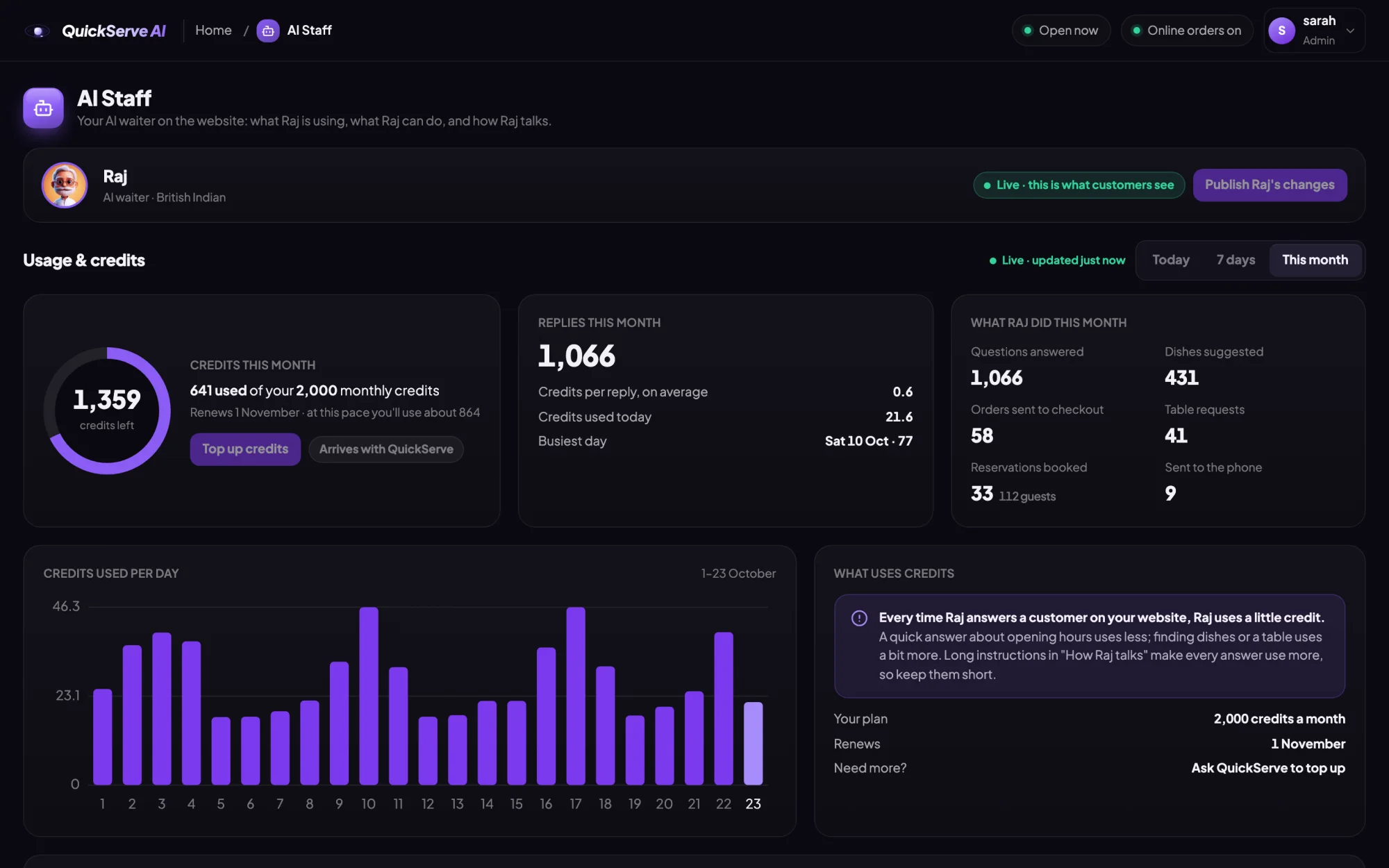
The AI host uses credits each time it replies. You can see exactly how many it uses, day by day, on its page in the admin.
Can I change the menu myself?
Yes. Dishes, prices, photos, options and what's sold out are changed in one place, and the till, the website and the AI host all follow.
Who's behind QuickServe AI?
It was built inside Cottage Tandoori, an independent Indian restaurant and takeaway, by people who run a restaurant themselves. QuickServe AI is a trading name of Exotic Creations Ltd.